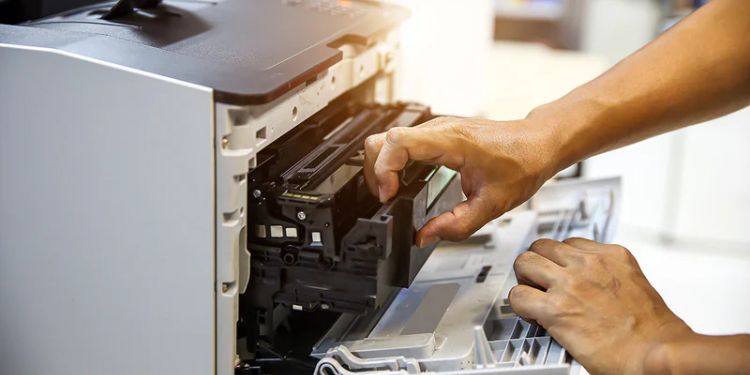
Maintaining Your Printer for Longevity
Regular maintenance is key to keeping your printer reliable, reducing errors, and extending its lifespan. A well-cared-for printer provides consistent quality, fewer interruptions, and longer service life.
Maintenance doesn’t require advanced skills or expensive tools. Simple, routine steps performed at the right intervals can protect internal components, prevent common issues, and ensure smooth daily operation.
Keep the Printer Clean
Dust, paper fibers, and ink residue can accumulate over time, affecting performance. Wipe the exterior regularly with a soft, lint-free cloth. For accessible internal parts, gently remove debris to prevent paper jams and print defects. Avoid harsh chemicals that may damage components.
Use Quality Paper and Supplies
Low-quality paper can shed fibers that clog the printer, while incompatible cartridges may cause poor print results or errors. Using high-quality paper and compatible ink or toner reduces strain on the printer and ensures smoother operation.
Manage Print Jobs Wisely
Continuous large print jobs can lead to overheating and wear. Allow the printer short breaks between heavy tasks. Only print what’s necessary, and avoid repeated reprints to reduce stress on internal mechanisms.
Proper Placement and Environment
Place your printer in a clean, well-ventilated area to prevent overheating and protect against dust and moisture. Avoid direct sunlight or proximity to heat sources, as extreme temperatures can damage internal components.
Perform Regular Checks and Updates
Monitor printer performance, check settings periodically, and address warning messages promptly. Clear unused print jobs, restart the printer occasionally, and ensure drivers and firmware are up to date. Early detection of issues prevents larger problems.
By following these practices, you can keep your printer running efficiently for years. Regular maintenance improves reliability, reduces downtime, and ensures high-quality printing whenever you need it.