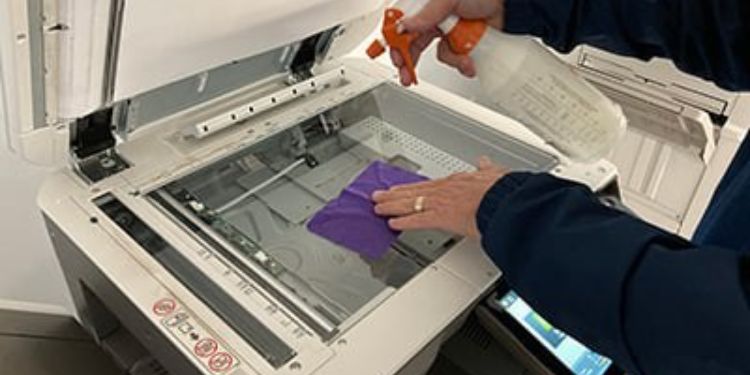
Cleaning Your Printer
Regular printer cleaning is an essential step in maintaining consistent print quality and reliable performance. Over time, dust particles, dried ink, toner residue, and paper fibers can collect on different parts of the printer. This buildup may cause faded output, streaky prints, paper jams, or uneven ink distribution. Keeping your printer clean helps avoid these issues and supports smooth daily operation.
Before you begin cleaning, always power off the printer and disconnect it from the electrical outlet. This precaution reduces the risk of damage and ensures safe handling. Place the printer on a stable, well-lit surface so all areas are easy to access. Using a soft, lint-free cloth is recommended, as abrasive materials may scratch or damage sensitive components.
Cleaning the Exterior
Start with the outer surfaces of the printer. Dust and fingerprints often gather on the casing, buttons, and paper trays. Slightly moisten a clean cloth with water and gently wipe these areas. Avoid strong cleaning agents or sprays, as they can harm the plastic surface or seep into internal parts. A clean exterior also helps reduce the amount of dust entering the printer.
Cleaning the Interior
Carefully open the printer cover and examine the internal area. Loose paper scraps, ink splatters, or toner powder may be present. Use a dry cloth or a small air blower to remove debris. When working with inkjet printers, avoid touching the cartridge nozzles. For laser printers, handle the toner drum carefully, as fingerprints can affect print quality.
Paper rollers should also be cleaned, as dirt buildup can lead to feeding problems. Gently wipe the rollers with a lightly damp cloth while rotating them slowly by hand. Make sure the rollers are completely dry before closing the printer and turning it back on.
Cleaning Print Heads
Print heads are responsible for producing clear and accurate prints. Over time, dried ink can clog the tiny nozzles, resulting in missing lines or uneven text. Most modern printers include a built-in print head cleaning feature that can be accessed through the control panel or printer software. Running this function occasionally helps restore proper ink flow.
If print quality does not improve after one cleaning cycle, you may repeat the process. However, frequent cleaning should be avoided, as it can consume additional ink. Allow the printer to rest between cleaning cycles to achieve the best outcome.
Making printer cleaning a regular part of your maintenance routine can prevent many common printing issues. A well-maintained printer delivers better results, operates more efficiently, and lasts longer, helping you save time and avoid unnecessary repair or replacement costs.